Automated Social Media Reminders for Employees Only Work With a Payoff
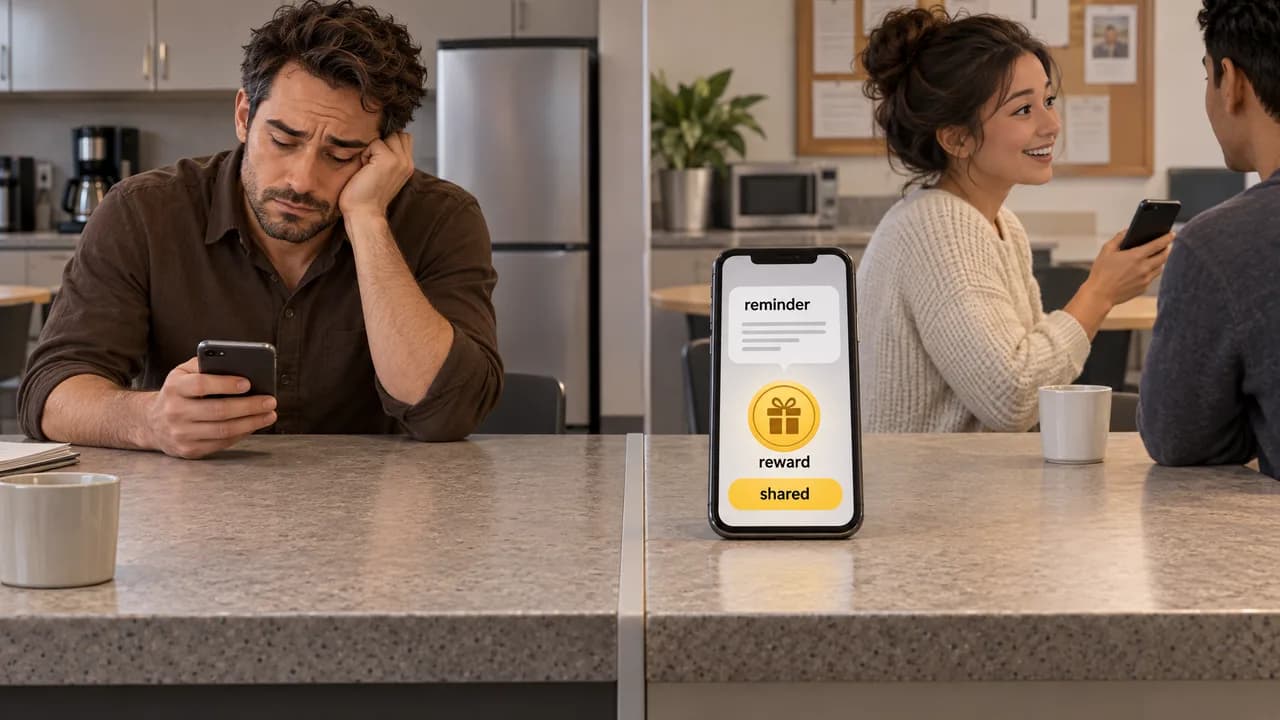
A reminder tells your team what to do. It does not tell them why anyone else bothers. The programs that hold up pay the nudge off with a score and a reward.

Automated social media reminders for employees are scheduled nudges that tell a registered team member to open a share link, post company content, and log the action, and they only change behavior when a visible score and a real prize answer the nudge. A reminder is a trigger. On its own, it teaches your team that a ping means nothing happens next.
How Automated Reminders Actually Work
The mechanism is a closed loop with four moving parts: a roster, a schedule, a share action, and a result that changes something visible. Remove the last part and you have a notification, not a program.
Start with the roster. An employee has to be registered before anything can be sent to them, because the reminder targets an account, not an inbox. That constraint trips up teams who assume a distribution list is the same thing as a program.
Then the schedule. You pick which days and times a nudge goes out, and a posting calendar syncs to those windows so the reminder arrives when there is actually something to share. A reminder sent to an empty content queue reads as busywork, and it burns goodwill you will want later.
The share action is where most tools look alike. Per Social Champ's roundup of advocacy tools, the category typically gives employees a shared content library, lets them share pre-approved posts with one click or rewrite them in their own voice, and tracks the reach and engagement that comes back. The 2025 preprint on leveraging employees as social media influencers frames that same employee-side behavior as the object of a communication strategy rather than a compliance action, which is the right way to read it.
The fourth part is the one that decides whether any of it works. A share has to produce a consequence: a point, a rank change, a contest entry. That consequence is what makes the next reminder worth opening. Employee advocacy, in Hootsuite's definition, is employees promoting their employer on their own accounts, either by resharing company content or posting their own view of the work. It is voluntary by nature. You cannot schedule voluntariness into someone.
Why Most Reminder Programs Stall in Week Two
Participation decays when sharing is a one-way ask with no scoreboard attached. The employee posts, nothing moves, and the second reminder lands on a person who has already priced the effort at zero return.
The structural cause is that most programs track the wrong thing. Reach and impressions climb in a dashboard nobody on the team can see, while the person who actually posted gets no signal at all. Recognition that stays in the marketing manager's browser tab is invisible to the people doing the work.
There is also a timing failure baked into the tooling. If the reminder goes out on a fixed daily cadence regardless of whether there is fresh content or an active contest, the message becomes ambient and gets filtered. Automation makes this worse, not better: a bad cadence at scale is just a faster way to teach the whole company to mute you.
And the audience is larger and more skeptical than the buyer usually assumes. A study preprint on employee social media engagement exists precisely because the employee side of the equation is its own research problem, not a footnote to the marketing plan. Treat the team as the primary stakeholder, not the distribution channel.
Setting Up a Reminder Loop That Holds
- Register the roster before you schedule anything. Get every intended participant into the system with a real account, because a contest with nobody entered produces zero entries no matter how good the reminder cadence is.
- Load the content library first. Pre-approved posts, brand assets, and the calendar the reminders will point at. If the queue is empty on a send day, skip the send instead of nudging toward nothing.
- Set custom send windows around real posting peaks, not a generic daily default. Two or three well-timed nudges per week beat a daily ping that your team learns to swipe away.
- Attach a public score from the first share onward. Points, a live leaderboard, a rank change: something every participant can check without asking a manager.
- Run a prize round inside the same system that sends the reminders. Winner notifications close the loop, because the payoff has to arrive where the effort happened.
- Review participation weekly and cut cadence before you change anything else. If engagement drops, the first dial to turn down is frequency.
The ordering matters more than any individual setting. Teams that start with a prize and a contest but never finish the roster get a loud program that converts nobody. Teams that start with the roster and the scoreboard get quieter traction that compounds.
Mistakes That Quietly Kill Sharing Programs
Sending everything at once is the failure that shows up fastest. A launch-day blast to every channel, every team, and every reminder slot at maximum frequency reads as a wall, and a wall gets muted. Ramp cadence over the first two weeks and watch which days actually produce shares.
Treating the reminder as the product is the deeper version of the same error. The nudge is delivery, not the offer. If the program's value proposition is "we will remind you to post," you have built a calendar notification with extra steps, and your team will respond accordingly.
Ignoring the opt-in boundary is the third one, and it is the costliest. Employees sharing on their own accounts is a voluntary practice, and a program that reads as a mandate converts the loudest internal critics into permanent non-participants. Frame the ask as available, not assigned, and let the leaderboard do the persuading.
Letting the scoreboard go stale is the slow one. A leaderboard that updates monthly, or a contest with no visible standings, removes the single reason a competitive person keeps posting. Live points and current standings are what carry a program past the novelty window.
Finally, measuring only reach. A program judged entirely on impressions will be defended with impressions, and nobody will ask whether the people posting felt rewarded. Track participation and repeat participation, because those are the numbers that predict next month.
What the Numbers Do and Do Not Tell You
Most of what circulates about reminder cadence and posting frequency is vendor framing, not measurement. The public toolkit for thinking about employee communication on social platforms is thin, and a 2025 book chapter on communicating with employees on social media treats the topic as an emerging area rather than a settled one. Read any confident frequency recommendation with that in mind.
The reliable frame comes from incentive design, not social media. The U.S. Office of Personnel Management's guidance on group awards describes group incentive programs as lump-sum payments, time off, or informal recognition given to groups that meet or exceed pre-established performance levels. That structure maps cleanly onto a sharing program: define the level first, then reward the group that reaches it.
What the numbers will not tell you is whether your team cares. Participation rate answers that question. Reach does not. If you can only track one metric across a quarter, track how many distinct people posted at least once and how many posted again in the following month. Those two figures tell you whether the reminders are working or merely arriving.
Cost is the other place people over-index on data they do not have. Advocacy tooling in this category is generally priced by seat or team size rather than by feature tier, which means the budget question is really a headcount question. Ask what the program costs per participant, not per integration.
How We Build This at Buzz 52
We built the reminder to be one part of a loop rather than the whole product. Custom send schedules control when a nudge goes out. Automated reminders handle delivery. Leaderboards and live point tracking handle the consequence. Prize contests with winner notifications close the round on a named person rather than a dashboard.
We also give teams the free tools for social media managers on our site, which are useful for benchmarking your current engagement before you commit to a program. If you want to see what a round actually looks like from the participant side, our examples page shows it, and you can reach us through the contact page.
Pricing is based on team size, not feature limitations, so a small team is not paying for capability it cannot use. Our free plan covers up to 5 employees with no credit card required, per our terms. Standard covers 6 to 49 employees with all features included, and Enterprise handles 50 and above. You can check current numbers on the pricing page.
One honest limit: we are built for social media amplification for employee engagement, and we do not try to be a general internal communications platform. If your problem is company-wide announcements rather than sharing, a broader suite fits you better. Setup takes under 5 minutes, which is the point. Turn your team into a social media machine.
Frequently Asked Questions
What is the 5-3-1 rule on social media?
It is a posting cadence heuristic: five short-form or engagement posts, three pieces of value or educational content, and one direct promotional post across a defined period. Treat it as a mix guideline rather than a measurement. For a sharing program, the useful translation is variety in what you push to the content library, so reminders do not deliver the same kind of post every time and train your team to expect filler.
What is the 5 5 5 rule for social media?
Variants of this rule circulate as guidance on posting frequency, engagement time, or follower interaction, and there is no single settled definition. That ambiguity is the useful part. Before you build a reminder cadence around any numbered rule, decide which behavior you are actually trying to produce, then set send windows against your own participation data rather than someone else's frequency chart.
What are some good social media automation tools?
The category splits into scheduling and publishing platforms, employee advocacy systems, and general gamification builders. The distinction that matters for a reminder program is whether a tool tracks the employee who posted and shows them a score, or only reports aggregate reach to a manager. Pick based on that answer, not on the length of the feature list, and test the participant view before you roll anything out.
Can Chatgpt automate social media posts?
It can draft captions, rewrite a link preview into a native-feeling post, and generate variations for different platforms. It cannot schedule, publish, or track engagement, and it has no idea who on your team posted. Use it to fill the content library that your reminders point at, then let a scheduling and tracking system handle delivery and the scoreboard.
Reach out through our contact page if you want to run a first round with your own team.
Sources
Sources checked on October 7, 2026.
Get new articles by email
New articles from Buzz 52, sent to your inbox.
By subscribing you agree to receive emails from Buzz 52 about new articles. You can unsubscribe at any time.